
The Hidden field can currently be used to retrieve the values of variables in the page URL, and also to obtain the submission time of the form.
For example, different users may submit forms through different channels. If you need to know the specific channels from which users submitted the forms, you can use the Hidden field to retrieve different values from the URL. This way, you can understand through which channels users submitted the forms.
Retrieve the values of URL variables
1. Open the editing page of the form.
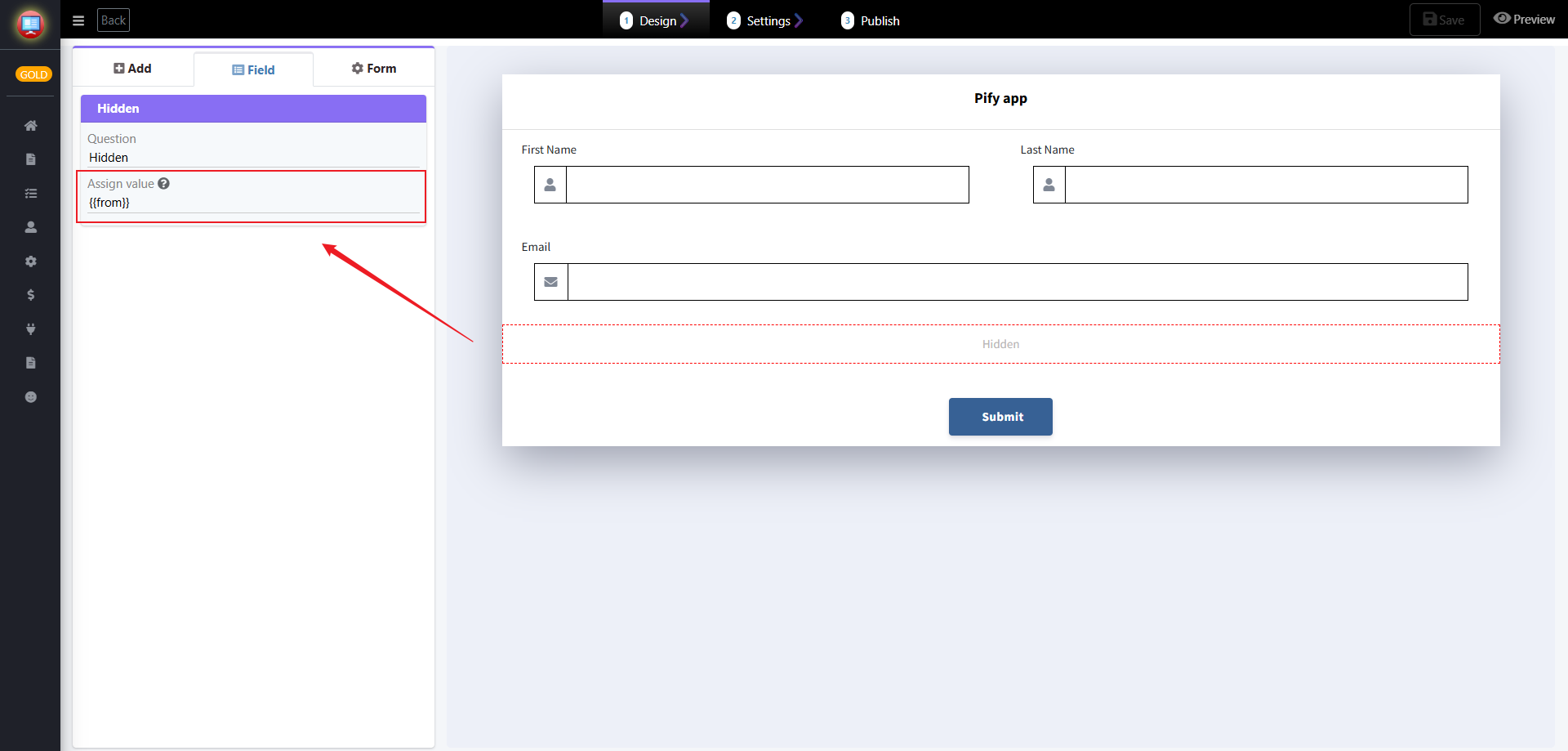
2. Add a Hidden field. In the "Assign value" field, you can enter the variable name of the value you need to retrieve, for example: "{{from}}".
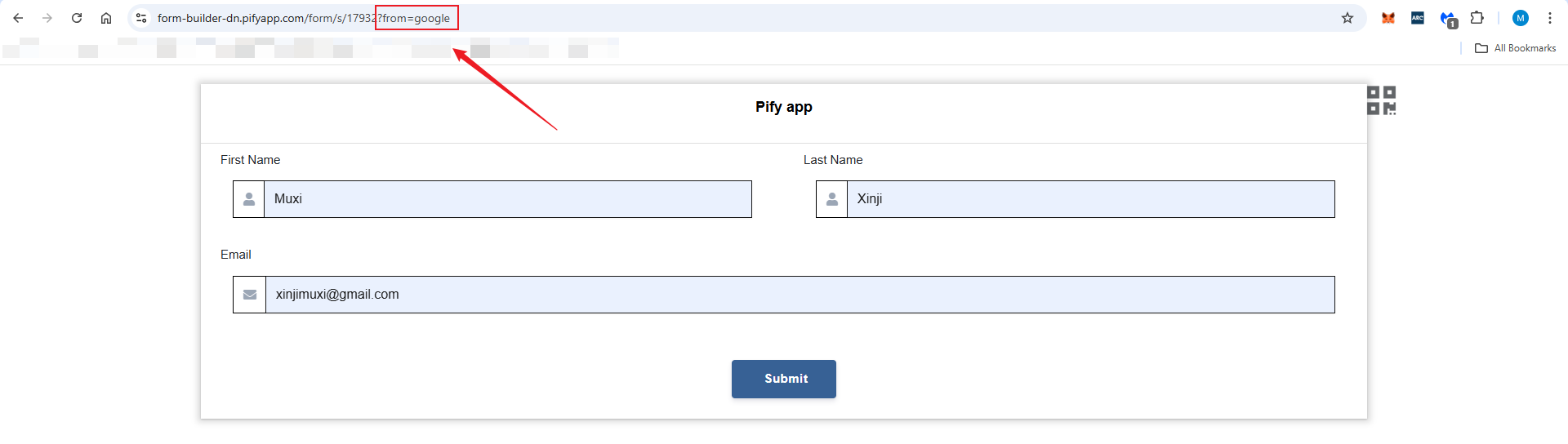
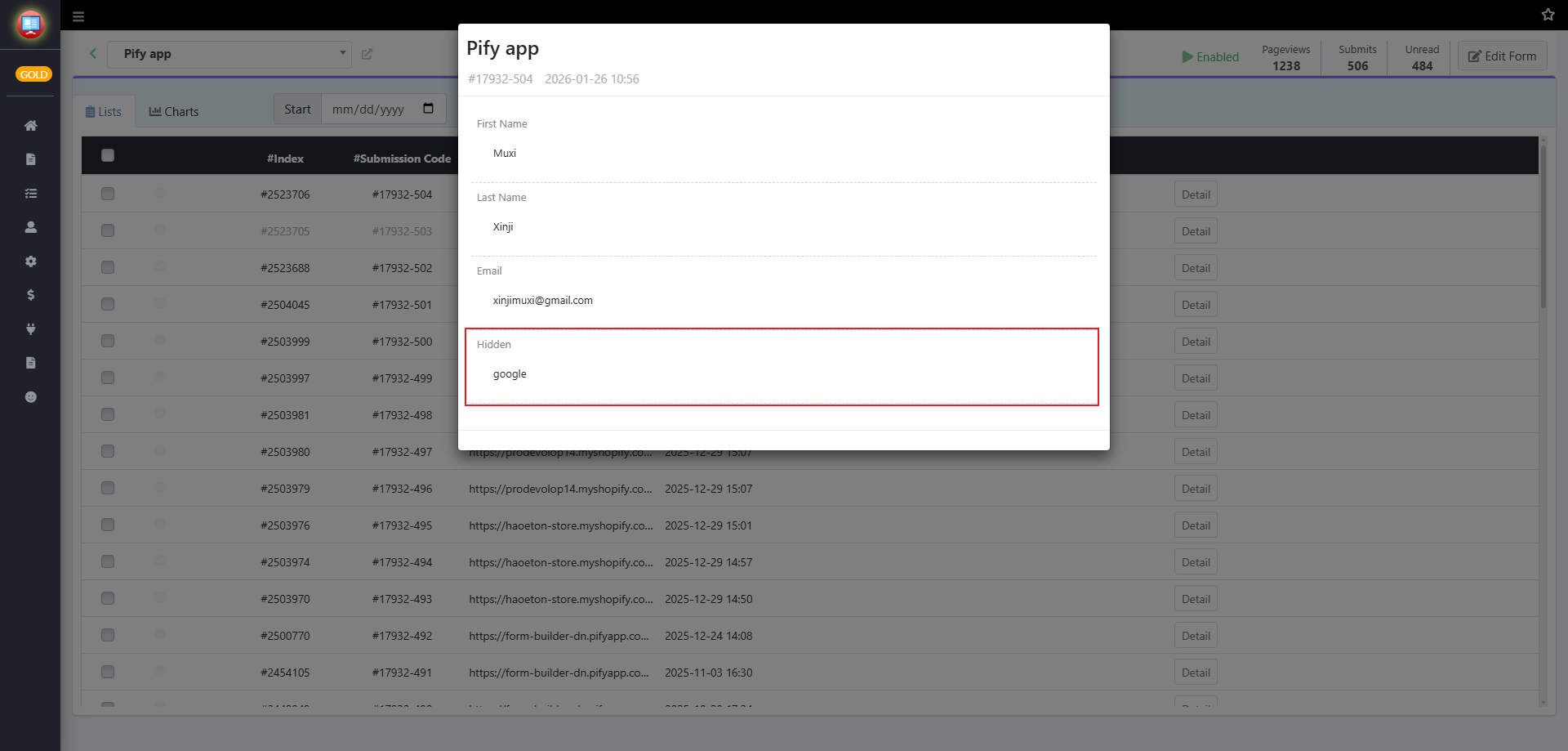
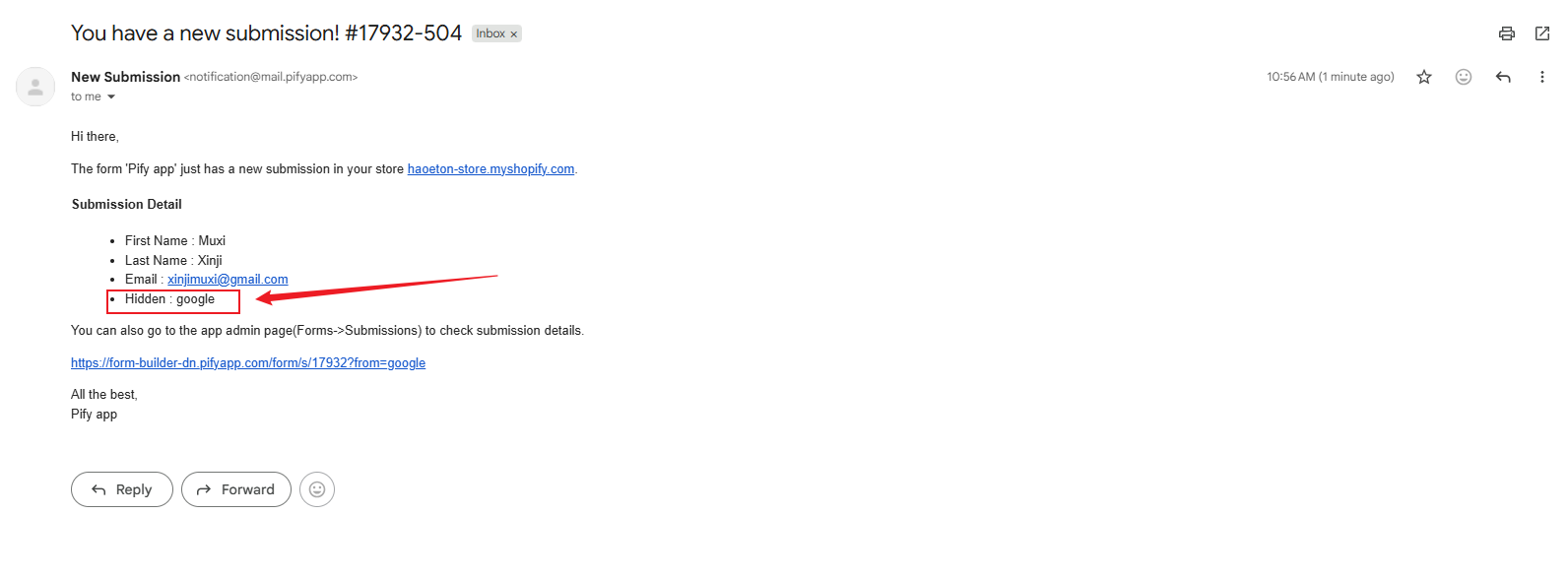
3. After adding it, if the page URL contains the variable from when submitting the form, the form will retrieve the corresponding value. You can view this value in the form's Submissions or in emails.
Get the form submission time
1. Open the editing page of the form.
2. Add a Hidden field, then enter the variable "[submit-time]" in the "Assign value" field.
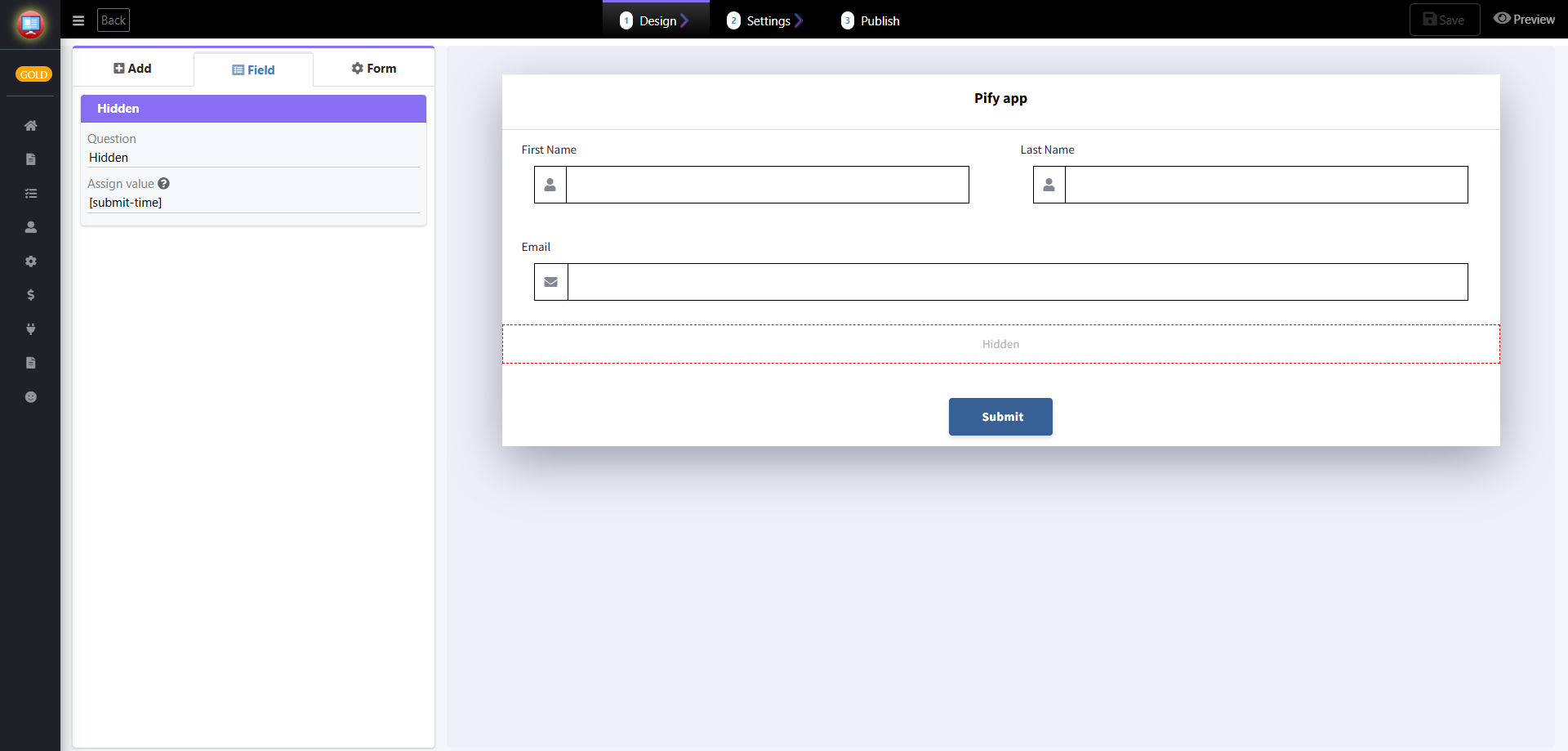
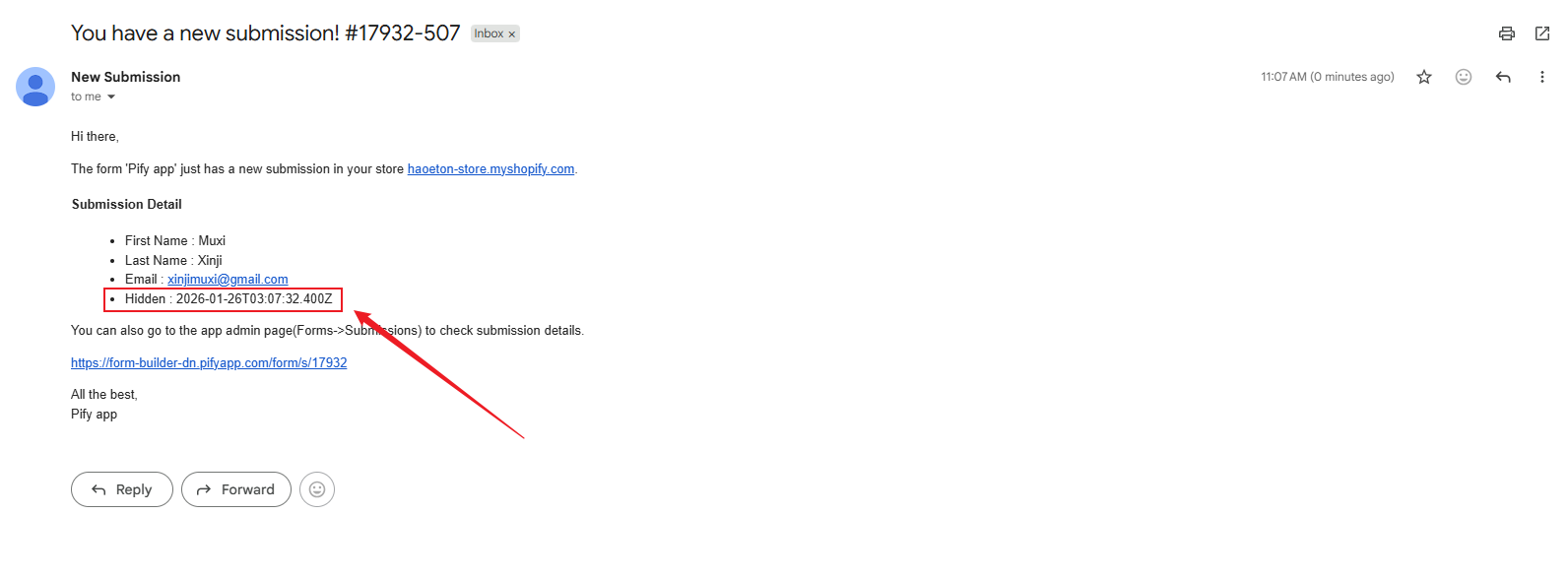
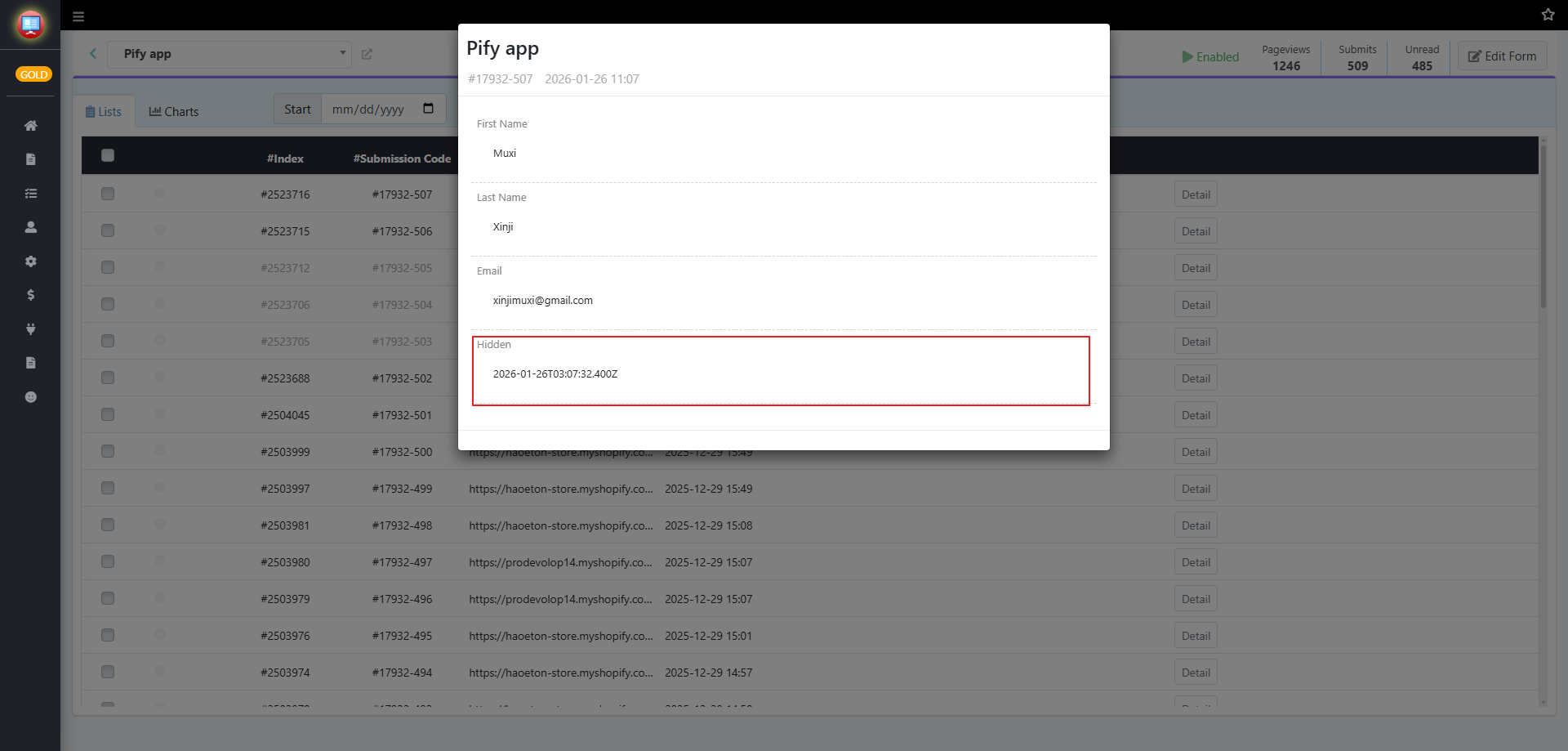
3. Once added, the submission time of the form will be recorded by the variable [submit-time]. You can view this value in the form's Submissions or in emails.
If any problem, feel free to contact us for support directly.